
Writing a DESIGN.md file Claude can actually use
There’s a difference between a file Claude can read and a file Claude can follow.

Happy Wednesday, designers!
Have DESIGN.md files been all over your feed as well for the past few weeks?
I made the mistake of going properly down the rabbit hole. I analysed a pile of them, built my own from scratch for a real product, and then — because apparently that wasn’t enough — built a Claude skill to encode the whole process.
Before we dive in
If you haven’t seen it — I have a guide called AI-Powered Product Design Workflows. It’s a living document of AI workflows I’ve personally tested in my design practice. Research synthesis, UX strategy, visual design, content, handoff. $15, and it grows as the tools do.
The most recent addition is a section on DESIGN.md files — the plain-text documents that give AI coding tools like Claude Code and Cursor your design system context. I went properly down the rabbit hole on this one: analysed a pile of existing files, built one from scratch for a real product, tested what Claude does when you point it at your Figma files and ask it to generate one (spoiler: the tokens are perfect, the reasoning layer is fabricated), and built a skill to encode the whole process.
It’s now in the guide under Module 07 — Claude Skills.
Back to our topic - here’s what I found at each stage.
Stage 1: Analysing what’s out there
The first thing I did was pull apart a bunch of existing files — both hand-crafted ones and the scraped collections circulating on GitHub. Some of them are pretty decent, others - questionable.
The pattern was immediate. Almost every underperforming file starts the same way: with a colour palette. No context before the first hex code. No sense of what the product does, who uses it, or what a good decision looks like in this specific context.
What you get is description — here’s what the system looks like. What a model actually needs is constraint — here’s what the system permits, what it forbids, and what to do when it hits a situation you didn’t anticipate.
Those are different writing tasks. And treating them the same way is why most files produce mediocre output.
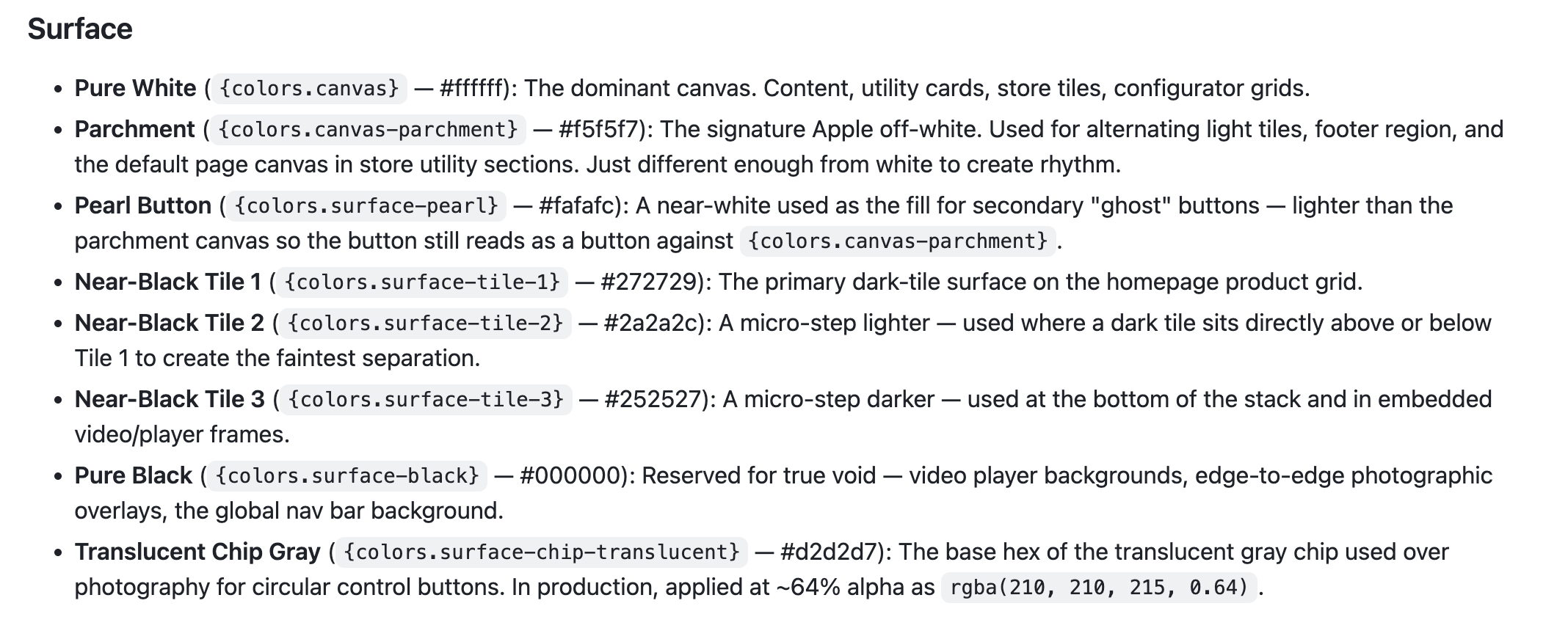
The files that performed well all shared one thing: rationale written directly into the token definitions.
Not
primary: #1B4DFF
But
primary: #1B4DFF — CTAs and active states only. Never used as a background, never decorative. One per screen. If you're reaching for two, reconsider the layout.
The value, then the intent, then the boundary. That boundary is what most files skip entirely.
Stage 2: Building one from scratch
Once I understood what was missing, I built a DESIGN.md from scratch for a real product. The process taught me more than the analysis did.
The first decision that matters is sequence. Start with a product brief — two or three sentences before any token. What the product does, who uses it, and what the UI must accomplish for them. That brief shapes every decision a model makes downstream, before it reads a single color value.
Then come the tokens, written for constraint not description. Then typography — not just the scale, but when to reach for each level and what it can’t be used for. Then component decision logic: not what a card looks like, but when to use a card versus a list row. The decision layer is what’s consistently missing from files that technically comply but feel inconsistent in practice.
And at the end — an explicit don’ts section. Things this system never does. No gradients. Status colors reserved. Error states are always text plus color, never color alone. Eight well-chosen rules will prevent more bad output than doubling the length of the token section.
The thing I didn’t expect: writing the don’ts is genuinely hard. You have to know your system well enough to name what it would never do — and most designers haven’t had to articulate that before.
Stage 3: Letting Claude generate one — and what it revealed
After building one manually, I wanted to test the other direction: what happens when you give Claude direct access to the design files and let it generate the DESIGN.md for you?
I shared the Figma files for a product called Oooff — both the designs and the token library — and asked Claude to write the file. It pulled everything. Full color palette with exact hex values and opacity variants. The complete Inter type scale with tracking values. Spacing, border radius levels, shadows including an inset button trick. Component anatomy for the tab list, calendar grid, event chips, sidebar panels. Every token, every measurement.
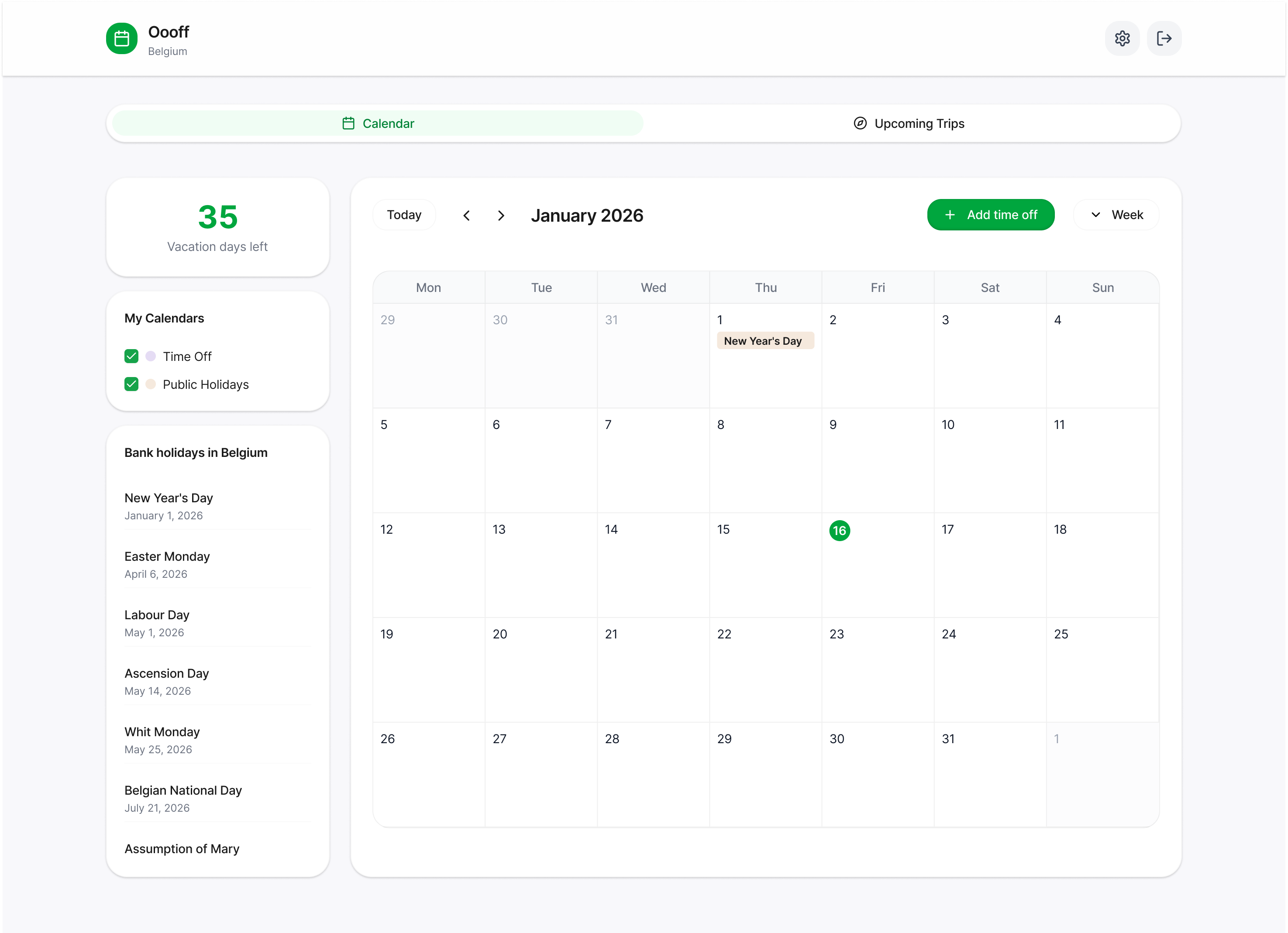
Then I asked: did you use the skill?
It said:
Honestly, partially. I used it as a formatting guide, but I skipped the part that makes the file actually good.
The part it skipped was the interview — the questions that establish what the product does, who uses it, what the UI must always do, and what it can never do. Instead, Claude inferred all of that from the Figma code. It made assumptions about the product’s core job, wrote design principles without input, invented don’ts based on what it observed in the designs.
The tokens were perfect. The reasoning layer was fabricated.
This is the gap. Claude can extract the what from a design file with remarkable accuracy. The why — the brief, the principles, the constraints — still requires a designer’s thinking. A model will fill that silence if you let it, and what it fills it with is plausible-sounding inference, not actual product knowledge.
You can try my Design-md.skill to create your own design.md files with Claude.
Based on the Design.MD and my designs (2 screens), I created a consistent foundation of a web app, using Claude and detailed prompt. It is not 100% perfect, but judging by small details - a pretty decent try from one prompt and defined idea.
Stage 4: Building a skill to encode the process
The Oooff experience made something clear: the right process for building a DESIGN.md isn’t obvious, and Claude will skip the hard parts if you don’t encode them explicitly.
So I built a Claude skill for it.
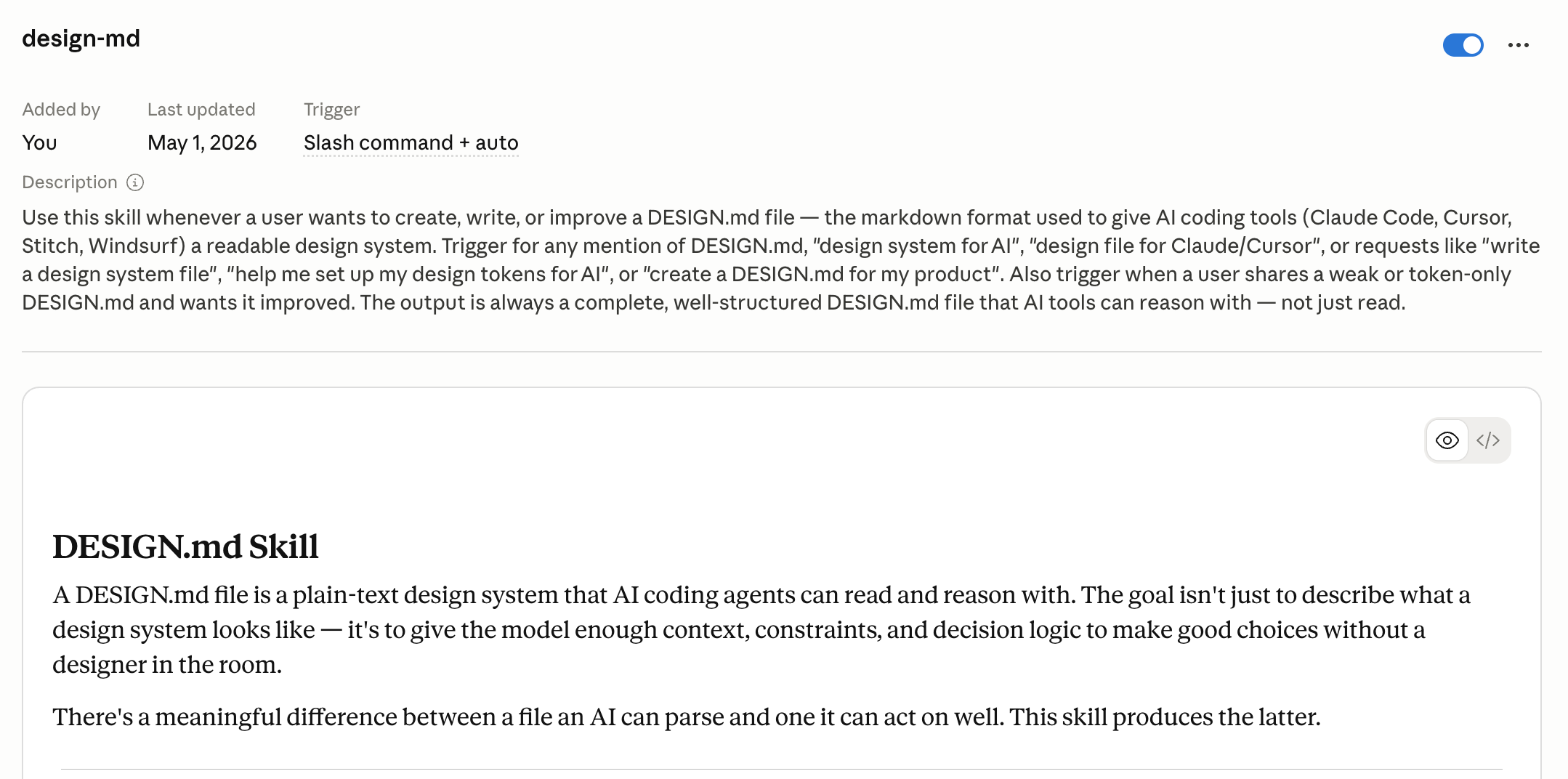
The skill starts with a mandatory interview before generating anything — four questions that establish product context, existing tokens, the UI’s core job, and the constraints. It then walks through the file in the right order: brief first, then tokens with intent and boundary, then typography with decision logic, then components, then the don’ts section last. It also suggests a diagnostic loop at the end — generate three screens, look for deviations, add the missing constraints, repeat.
The skill is the process made explicit. It exists because even with a skill available, Claude will default to the faster path — pulling tokens from Figma and calling it done — if the right sequence isn’t enforced.
What I’m taking away from all of this
A DESIGN.md file is a communication layer between your design system and a model. It needs to be written for that purpose specifically — not as a style guide export, not as a token dump, and not as something a model generates unsupervised from your Figma files.
The tokens are the easy part — for you and for Claude. The brief, the intent, the constraints, the don’ts — that’s the work. And it turns out, that work is also just good design documentation, regardless of who reads it.
I’m running the paid Design Thinking weekly series — six issues on applying the full design process with AI, one phase at a time.
Happy Tuesday. 🧡
— Lisa
Resources worth checking out
Google’s open-source DESIGN.md spec — The draft spec from Stitch. Worth reading before you write your own — it clarifies what the format is trying to do, which helps you decide what to add beyond the baseline. Why it matters: most people are using the format without reading the intent behind it.
VoltAgent/awesome-design-md — 55 DESIGN.md files reverse-engineered from real brands. Browse a few to see what a token-only file looks like in practice. Why it matters: the gap between these and a well-reasoned file is immediately visible once you know what to look for.
The DESIGN.md workflow: Stitch + Claude Code — A walkthrough of using DESIGN.md across both tools in a single design-to-code workflow. Why it matters: the handoff implications are more significant than either tool’s feature lists suggest.