

Happy Monday, designers!
Recently, while working on another client project, I've noticed that my AI-enhanced workflows remain firmly rooted in the Design Thinking methodology I've followed since becoming a Product Designer. My approaches evolve, but the core confluence of my thinking stays the same. My workflow usually has the following phases: Understand, Observe (Analyse), Define, Ideate, Prototype, Test.
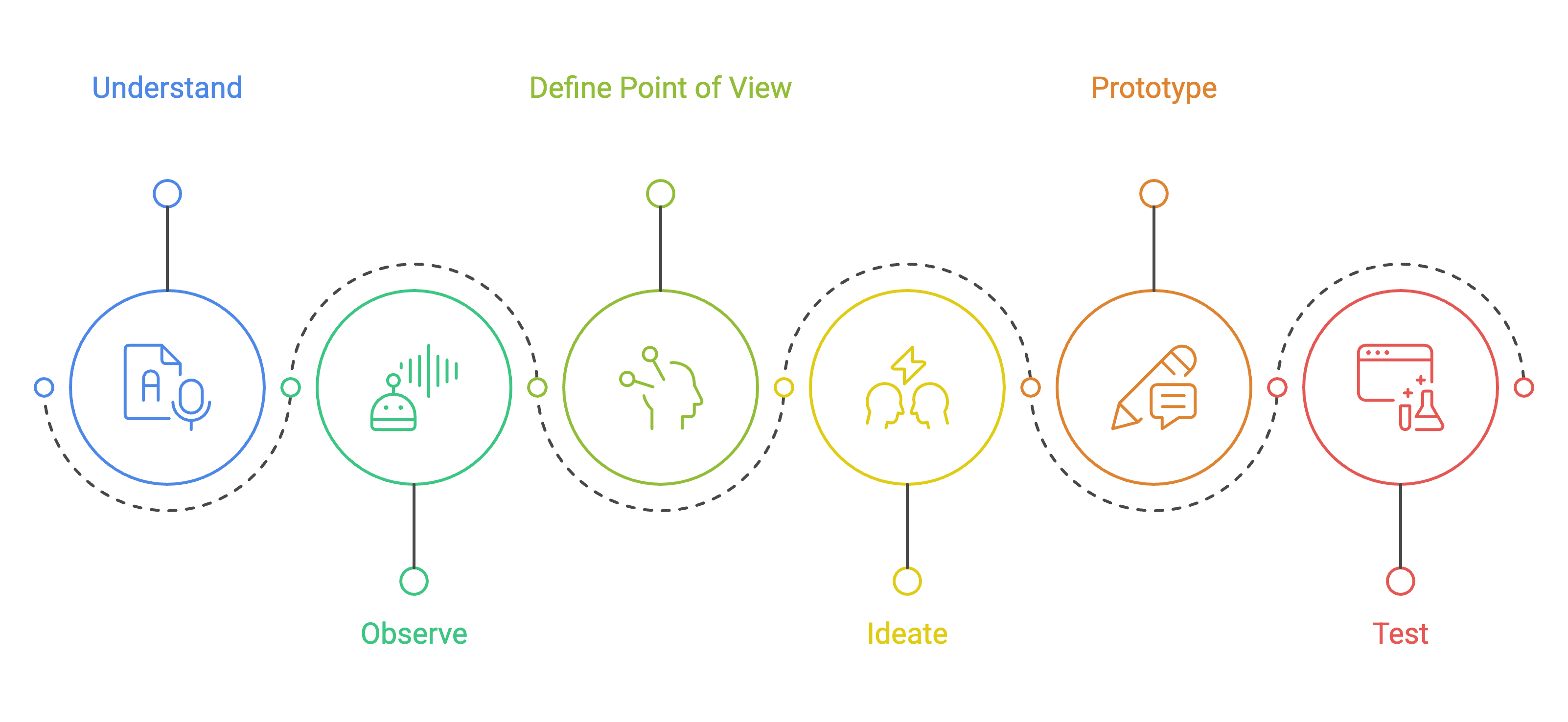
So I thought I’d go deeper on each phase of Design Thinking for solo work. One phase per issue, with the full workflow — the tools, the prompts, the bits that still take judgment.
Starting this week with phase one: Understand.
Quick pretext to set the scene. I’ll use a fictional project through this issue so the examples land specifically: five discovery interviews with working designers about how they maintain their portfolios. Familiar problem space, clear motivations, good contradictions, real workarounds. Same shape as any discovery study you’d actually run.
Where the hours go
The classic Design Thinking cycle was built to be run by a team. Two people interview. One facilitates. A third captures. You leave the room with notes you review together.
Solo UX doesn’t have that room. You do the interviews. You review the recordings. You read the transcripts. You re-read. You highlight. You cluster. You write the persona. You present the findings.
Five 40-minute interviews is roughly 60,000 words of transcript. The old version of this week was: read each transcript twice (day and a half), highlight by hand (day), cluster into themes (half a day), draft a persona (half a day). Three days before you’ve said anything about what you heard.
That’s where solo designers lose the week. Not the interviews. The synthesis.
The stack I’d set up before the first call
Before the first interview ever starts, the stack matters. The rest of the workflow depends on it.
Recording + transcription. A few options, all fine. The choice depends on what you want next:
Zoom + Otter.ai. Cheap, reliable, no surprises. You get a clean timestamped transcript and a separate video file. Best if you’re going to take the transcript out of the recording tool and analyse it somewhere else.
Granola. Granola records and transcribes your sessions, keeping video moments linked to each quote. It’s especially useful during synthesis—you can jump straight from a quote to the exact few seconds of video around it.
Dovetail (recording + repo in one). Most integrated if you’ve already committed to Dovetail as your research home. Less good if you also want the raw files somewhere portable.
Analysis surface. Where you actually ask AI to read for you. I use Cowork, and the reason I land on it for research is file access. I can point Cowork at a folder of transcripts on my computer or add a folder to cowork, and it reads them directly, no copy-paste dance. Project instructions persist, so Claude knows this is research analysis every time. I love to use Claude skills for research analysis as well - you can create one for each research method (You can find mine for planning and analysis in the end of this issue).
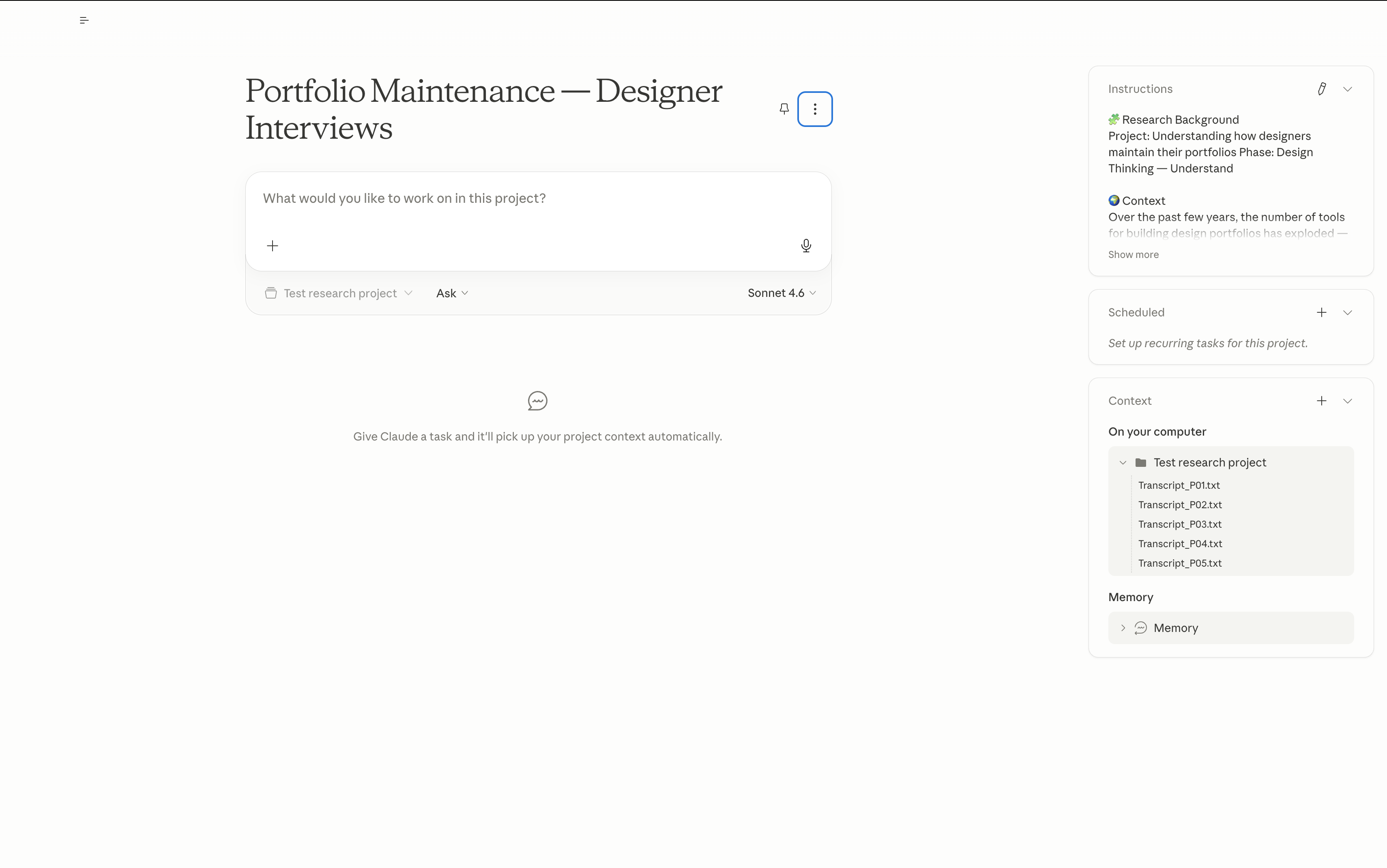
Other options work: Claude browser Projects if you don’t want a desktop app, Dovetail’s own AI features if you’re already in Dovetail. But file-access-to-a-folder is what makes the workflow below fast.
Where the findings live. I keep a research repo in Notion — one database for transcripts, one for themes, one for quotes, cross-linked. If you already use Dovetail, stay there; its tagging model does a lot of this for you. FigJam sticky-clustering works too if you’re visual-first and the study is small, but it doesn’t scale past ~20 themes without getting messy.
Two ways I actually store and work with the data:
Export each transcript as a plain
.txtfile namedP01.txt,P02.txt, etc. AI handles files better than one mega-document, and it lets you attribute quotes accurately.Output transcripts into Notion. This way I have all the planning, notes, raw and analysed data in one place (kind of replace the Dovetail infrastructure).
